
Open what the agent produced
An artifact is a file or a link an agent attaches to its workspace, so the plan, the report or the diagram is one click from the dashboard instead of a path in a chat message.
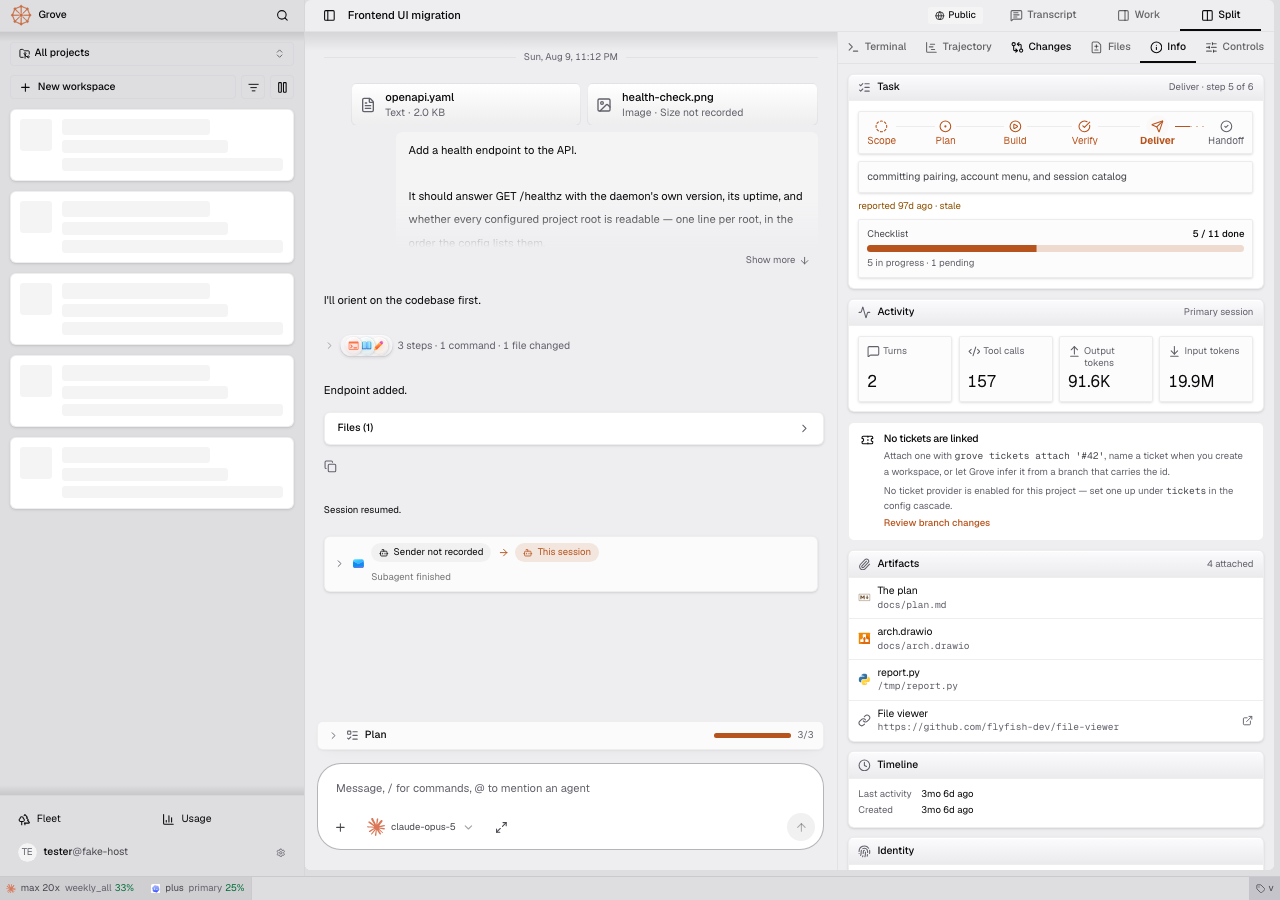
Attach a file or a link
Think of an artifact as a bookmark the agent leaves on its workbench. Grove keeps the pointer, and the agent keeps the content.
- The agent runs
grove artifacts attach docs/plan.md, or callsgrove_attach_artifact, and the file appears on the workspace. - A target that starts with
http://orhttps://is a link. Anything else is a path to an existing file. - An optional title replaces the file name on the card.
- Attaching the same target again changes nothing, and attaching it with a new title renames the row.
- You can attach and detach from the Controls tab too. One field takes a path or a link.
Read it in the dashboard
The Info tab lists every artifact directly under Tickets.
- A link opens in a new tab.
- A file opens in a read-only viewer. PDF, Word, Excel and CSV, PowerPoint, archives, email, ebooks, Markdown, code, images, audio and video render in the browser, with no conversion server.
- A
.diffor.patchopens as a side-by-side diff with added lines in green and removed lines in red. A.jsonlopens as JSON. A Jinja template (.j2,.jinja,.jinja2) opens as the file it produces, soplan.md.j2renders as Markdown, and as plain text when only the suffix names it. - DWG and DWF drawings, Typst sources and Adobe design files are not previewed. Their runtimes are large, and the CAD one is AGPL.
- A
.drawiofile opens in the same read-only diagram viewer the Gallery uses, with page tabs. A workspace can carry as many diagrams as it needs. - The viewer reads the file each time it opens, and Refresh reads it again. An agent that keeps editing its plan never has to attach it twice.
- Artifacts are private to the dashboard. A public share link shows none of them.
Which files can be attached
Grove serves a file only if it was attached, and attaches it only from a directory you allowed.
- The workspace checkout and the project root are always allowed.
/tmpis allowed by default, for reports an agent writes outside the repository.- A file anywhere else is refused, and so is a symlink that points outside those directories.
- The check runs again on every read. A file that later moves out of bounds stops opening.
- A file over 32 MB is refused.
Configuration
artifacts.roots lists the extra directories. Set it in your user config or the project's .grove/config.local.json. A committed project config cannot set it, so a cloned repository cannot widen what the dashboard reads.
See also
- CLI: the
grove artifactscommands. - MCP server: the two artifact tools.
- Diagram collaboration: editing a diagram with an agent.
- Attachments and annotation: files you send to the agent.